
Pickaxe Simulator is a popular and fast-growing Roblox incremental simulator game where players mine a variety of blocks using powerful pickaxes. The primary goal of the game is to obtain the strongest pickaxe possible, allowing players to mine faster and collect resources more efficiently. As players progress, they can also train their characters to increase mining effectiveness, boosting the amount of materials gathered over time.
A major feature that sets Pickaxe Simulator apart is its Pet system. By hatching Pets, players gain valuable mining bonuses that significantly increase productivity and overall profits. While starting Pickaxe Simulator from scratch is fairly beginner-friendly, having extra resources early on can give players a noticeable advantage. This is where Pickaxe Simulator codes come in handy, as they provide free rewards, boosts, and other useful items to help players progress faster in the game.
What Is a Roblox Pickaxe Simulator Script?
A Pickaxe Simulator script is a custom Lua-based script designed to automate or enhance gameplay actions in the game. These scripts are usually run through third-party executors and are created by members of the Roblox scripting community.
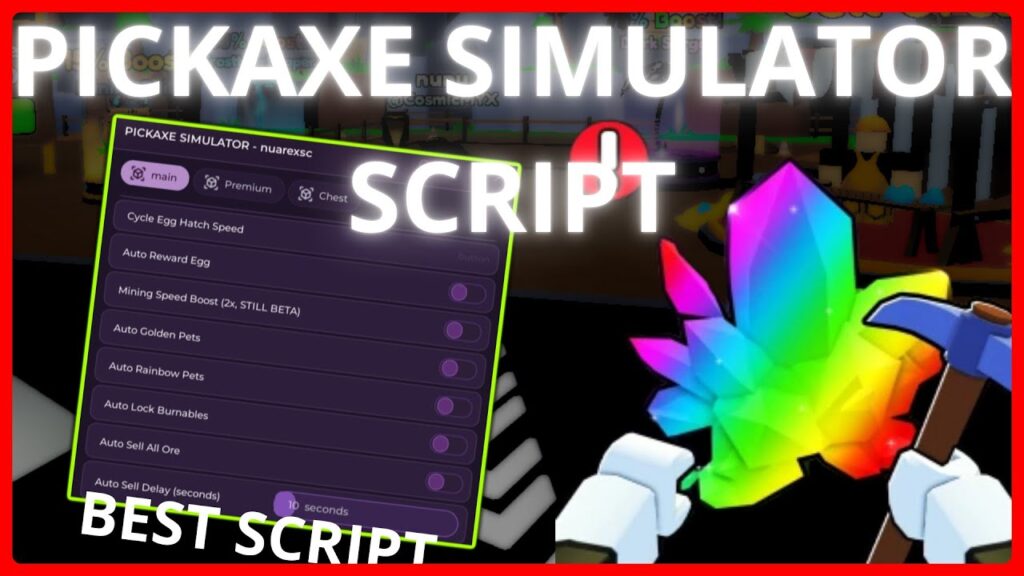
Common features you’ll see in these scripts include:
- Auto-mining blocks
- Faster swing speed
- Auto-collecting ores and gems
- Teleporting to mining zones
- Auto-upgrading tools
Features of Pickaxe Simulator Script
Auto Mining
Automatically mines nearby blocks without constant clicking. This feature is designed to save time and reduce repetitive actions during long mining sessions.
Fast Swing / Increased Mining Speed
Boosts how quickly your pickaxe swings, allowing blocks to break faster and improving overall efficiency.
Teleport to Mining Areas
Lets you instantly move between different mining zones, worlds, or special areas without walking or unlocking paths manually.
Auto Upgrade Pickaxe
Automatically upgrades your pickaxe when enough resources are available, ensuring you’re always using the best tool possible.
Latest Pickaxe Simulator Script
1. Pickaxe Simulator Script – Fast Mine, Auto Rebirth, Auto Upgrades, Auto Hatch, Auto Sell
loadstring(game:HttpGet("https://raw.githubusercontent.com/kalasthrowaway/stuff/refs/heads/main/pickaxe-simulator.lua"))()
2. Pickaxe Simulator – Synce Script
loadstring(game:HttpGet('https://pastefy.app/oJ1EsI24/raw'))()
3. Pickaxe Simulator – YTScript
loadstring(game:HttpGet("https://raw.githubusercontent.com/Enzo-YTscript/IND-Hub/main/Loader.lua"))()
How to run Pickaxe Simulator Script?
- Choose a Script Executor
To execute scripts in Roblox, you’ll need a script executor. Here are some trusted options:
- Windows PC: Delta Executor, JJSploit, Xeno
- Android: Arceus X, Codex, KRNL, Cryptic
- iOS: Delta, Hydrogen, Arceus X, Codex
2. Download and Install Delta Executor
- Visit the official Delta Executor website: https://deltaexploit.org/
- Download and install the executor appropriate for your device.
- For Android, you might need to enable “Install from Unknown Sources” in your device settings.
3. Obtain a Delta Key
- Click on the “Receive Key” button.
- A link will be copied to your clipboard.
- Open your web browser and paste the link.
- Complete the required verification tasks (such as captchas or short tasks).
- After completing the tasks, click on “Unlock Content” to receive your Delta Key.
4. Launch Roblox and Pickaxe Simulator Script
- Open the Roblox app and log into your account.
- Search for Pickaxe Simulator Script and click on the game to launch it.
5. Execute the Script
- Once in the game, open the Delta Executor dashboard.
- Paste the Delta Key you obtained earlier into the key input box.
- Click on the “Attach” button to link the executor to the game.
- Navigate to the script input section in the Delta Executor.
- Copy the desired script from a trusted source.
- Paste the script into the executor’s script input box.
- Click on the “Execute” button to run the script.
Final Thoughts
The idea of a Roblox Pickaxe Simulator script is undeniably tempting—especially if you’re tired of endless mining. While scripts can showcase impressive technical creativity, they also come with serious risks that every player should understand.
If you’re curious, treat scripts as a learning tool, not a shortcut. And if you want long-term fun on Roblox, playing smart (and safe) always beats playing fast.
